Man-in-the-Middle: Forging Certificates on a LAN
A slightly different kind of post
I don't usually write about coursework here, but I really enjoyed this Network Security project at university and I think it makes for genuinely interesting reading if you're curious about how Man-in-the-Middle (MITM) attacks actually work, and where they break down. This was done in a strictly isolated lab (a Kali attacker and two victims on an internal 172.10.1.0/24 network), so no real users were harmed in the making.
The full assignment covered a lot of ground with my teammates, but here I'll focus on the part I worked on: ARP poisoning and the really juicy bit, selective SSL interception with forged certificates.
ARP poisoning: becoming the middle
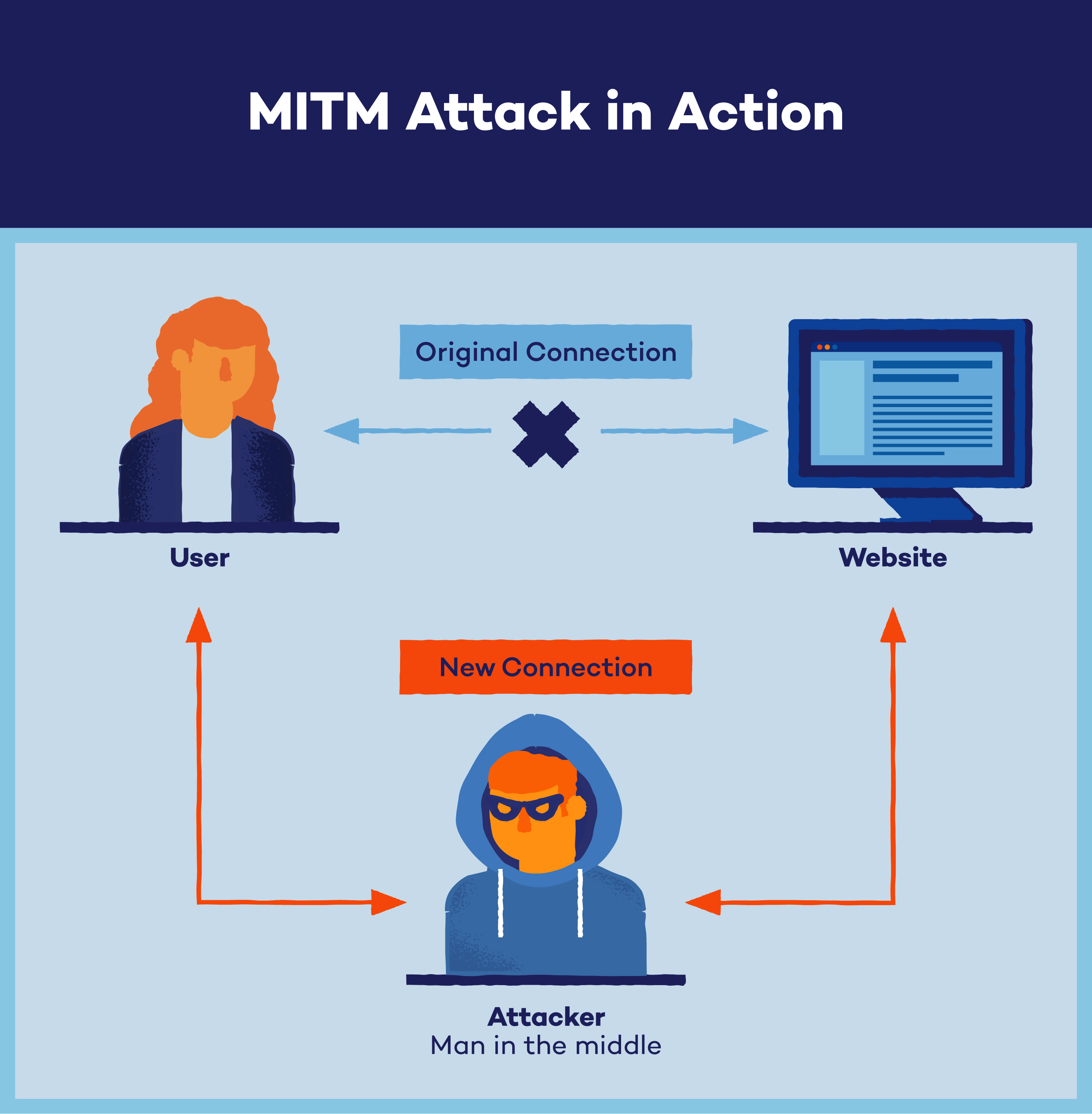
Everything starts with getting in the middle. On a local network, machines find each other using ARP, a protocol with the charming property of having zero authentication. So an attacker can simply announce "hey, I'm the router" to the victim and "I'm the victim" to the router. Both believe it. Now every packet flows through the attacker's machine.
We used Ettercap for this, a toolkit built specifically for LAN MITM: ARP poisoning, packet sniffing, filtering and injection, all in one place. Once poisoning is active, you're on-path and the fun begins.
The HTTPS problem
Plain HTTP is trivially readable once you're in the middle. But most modern traffic is HTTPS, and here MITM gets interesting. The naive move, the SSL-strip downgrade, tries to keep the victim on HTTP and strip away the redirect to HTTPS. These days that mostly fails, because browsers enforce HSTS (HTTP Strict Transport Security): once a site is known, the browser refuses to talk to it over anything but HTTPS. Good defense. So downgrading is off the table for any serious site.
The more powerful approach is to intercept the TLS session itself, and that's where forged certificates come in.
Selective SSL interception
To make Ettercap decrypt SSL, a few critical changes to /etc/ettercap/etter.conf are needed:
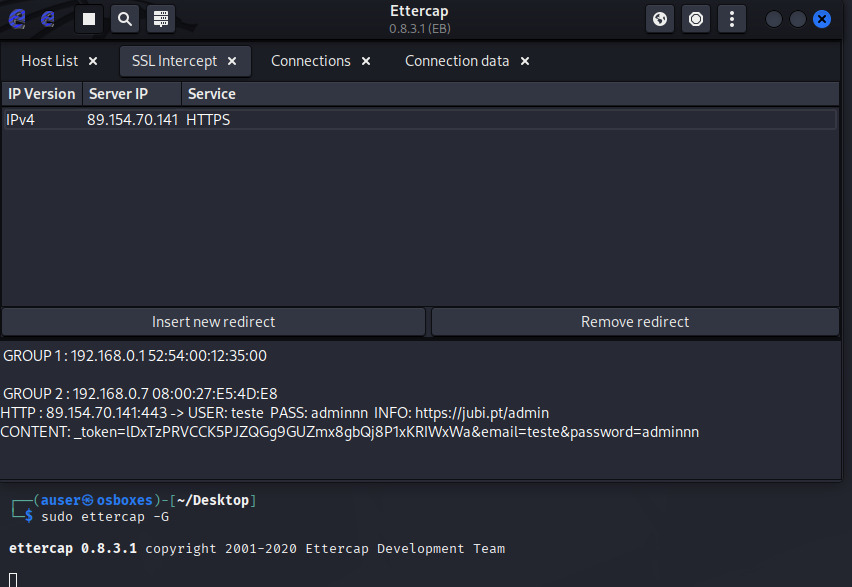
ec_uid = 0: Ettercap normally drops privileges after starting, but to rewrite the system'siptablesfirewall rules on the fly it needs to stay root.redir_command_on: uncommenting theiptableslines in the Linux section. Being in the middle physically isn't enough; the HTTPS (port 443) traffic reaching the attacker has to be redirected at the kernel level to the socket where Ettercap is listening as an SSL proxy. Without this, packets are just forwarded along, still encrypted.
Now, the key insight, and the reason this attack is selective:
If you enable SSL interception globally, Ettercap tries to decrypt everything, including rigid-HSTS sites like Google and Facebook. The victim's browser then throws fatal certificate errors on every single page, screaming "something is wrong" and blocking navigation. Instant detection.
So instead of that noisy mess, we remove the default wildcard (*) redirect and add a rule for exactly one target IP on HTTPS. Everything else browses normally and silently; only when the victim visits the specific target does Ettercap spring into action. (Our lab target was, fittingly, my own site, jubi.pt.)
Forging the certificate
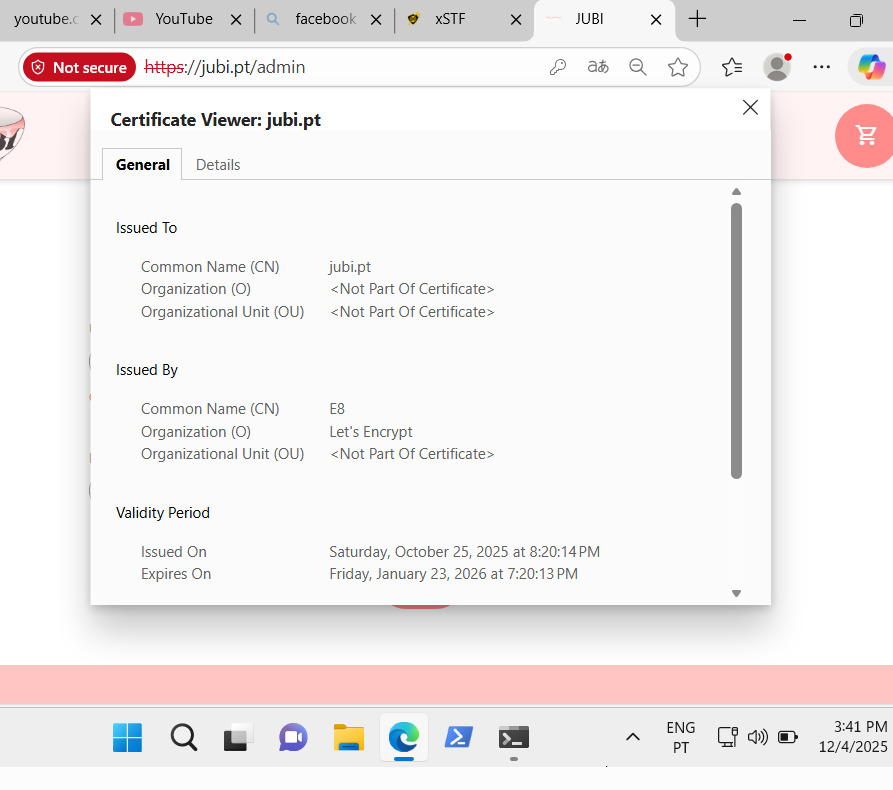
When the victim's TLS handshake hits the target, Ettercap intercepts it and generates a fake X.509 certificate on the fly, signed by its own internal CA. It imitates almost every field of the legitimate certificate: issue and expiry dates, domain name, issuing authority, changing only the final signature.
There's a tell, though: the serial number follows a fixed Ettercap pattern (typically 00 E7 7E E7 7E), which quietly gives away that the cert was machine-generated. Convincing on the surface, but not perfect.
The real last line of defense: the human
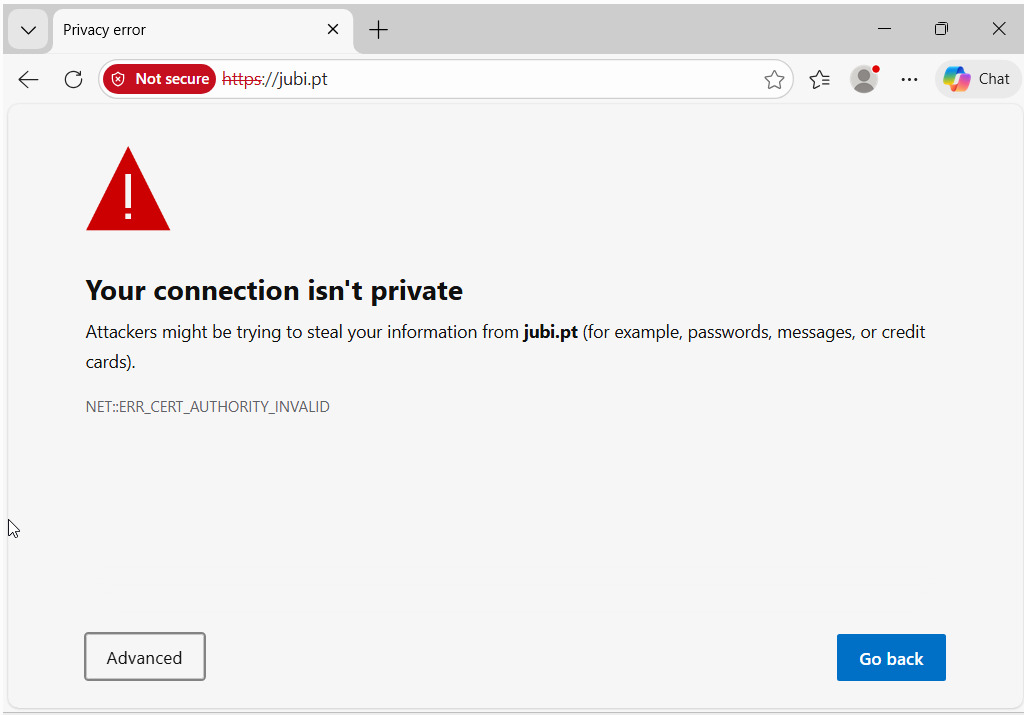
Here's the part I find most interesting. The forged certificate isn't signed by a trusted CA, so the browser does the right thing and shows a "Your connection is not secure" warning. Technically, the attack is stopped here.
Except it often isn't. A well-known USENIX Security 2013 study measured the SSL-warning click-through rate at 70.2%, roughly seven in ten users just click "Advanced" and then "Proceed anyway". The study is over a decade old and browsers have improved their warnings since, but it's safe to assume a large fraction of people still click through.
And the moment the victim clicks "Proceed", two separate encrypted sessions exist:
- Session A: victim to attacker, encrypted with Ettercap's fake certificate.
- Session B: attacker to server, encrypted with the real certificate.
Ettercap sits as a bridge between them, seeing everything in cleartext before re-encrypting and forwarding. Credentials that TLS should have protected, captured in plaintext.
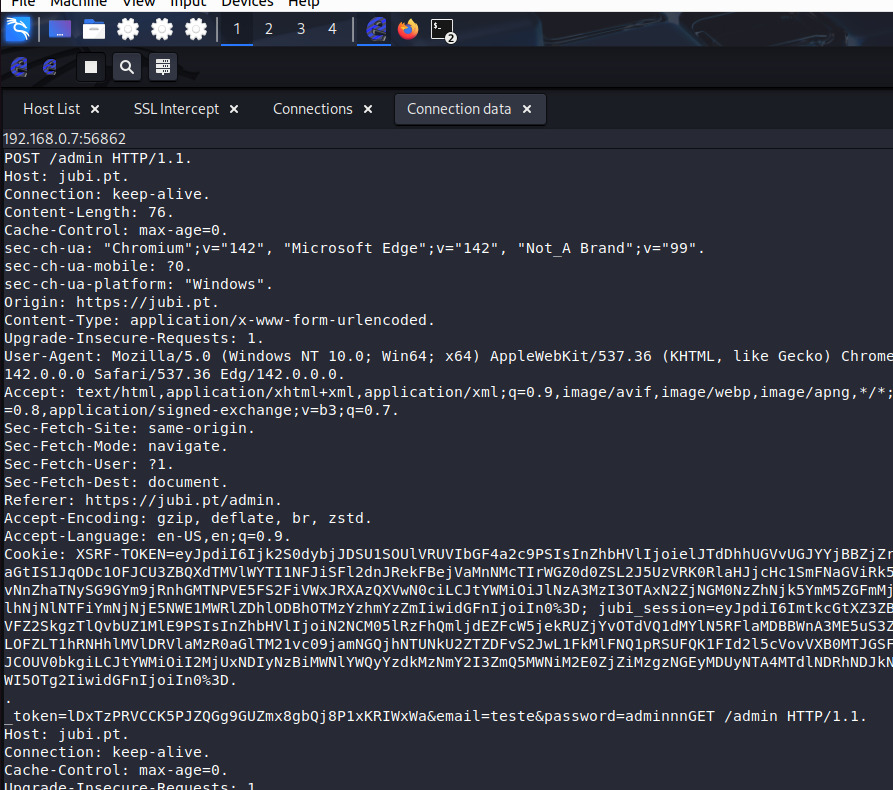
The technical takeaway: HSTS and the CA trust model genuinely defend you, right up until a human overrides them. On public Wi-Fi, on a site without HTTPS, or one warning-click away from disaster, the weakest link is rarely the crypto. It's us.
If you'd like more detail on any part of this, the full setup, the other attack vectors we explored (BeEF, Metasploit), or the assignment itself, feel free to reach out.